Guide
How to get paid on time without chasing by hand
Late payment is rarely refusal. It is usually an invoice that landed in a busy inbox and was never seen again. The fix is not a sterner email, it is a reminder that goes out without you having to decide to send it.
For anyone tired of writing the polite follow-up · 5 minute read · Last updated
Let the reminders run
Switch on the reminders that matter to you
Settings has a reminder for each thing that tends to get missed: a timesheet still open before the week closes, one still open after it, an invoice about to fall due, and an invoice that has gone past due.
Each has its own timing. Invoice due soon at five days before the due date gives a client the nudge while paying is still easy, which is the one that prevents most overdue invoices rather than chasing them afterwards.
These are yours alone. Changing them changes nothing for anybody else on the team.
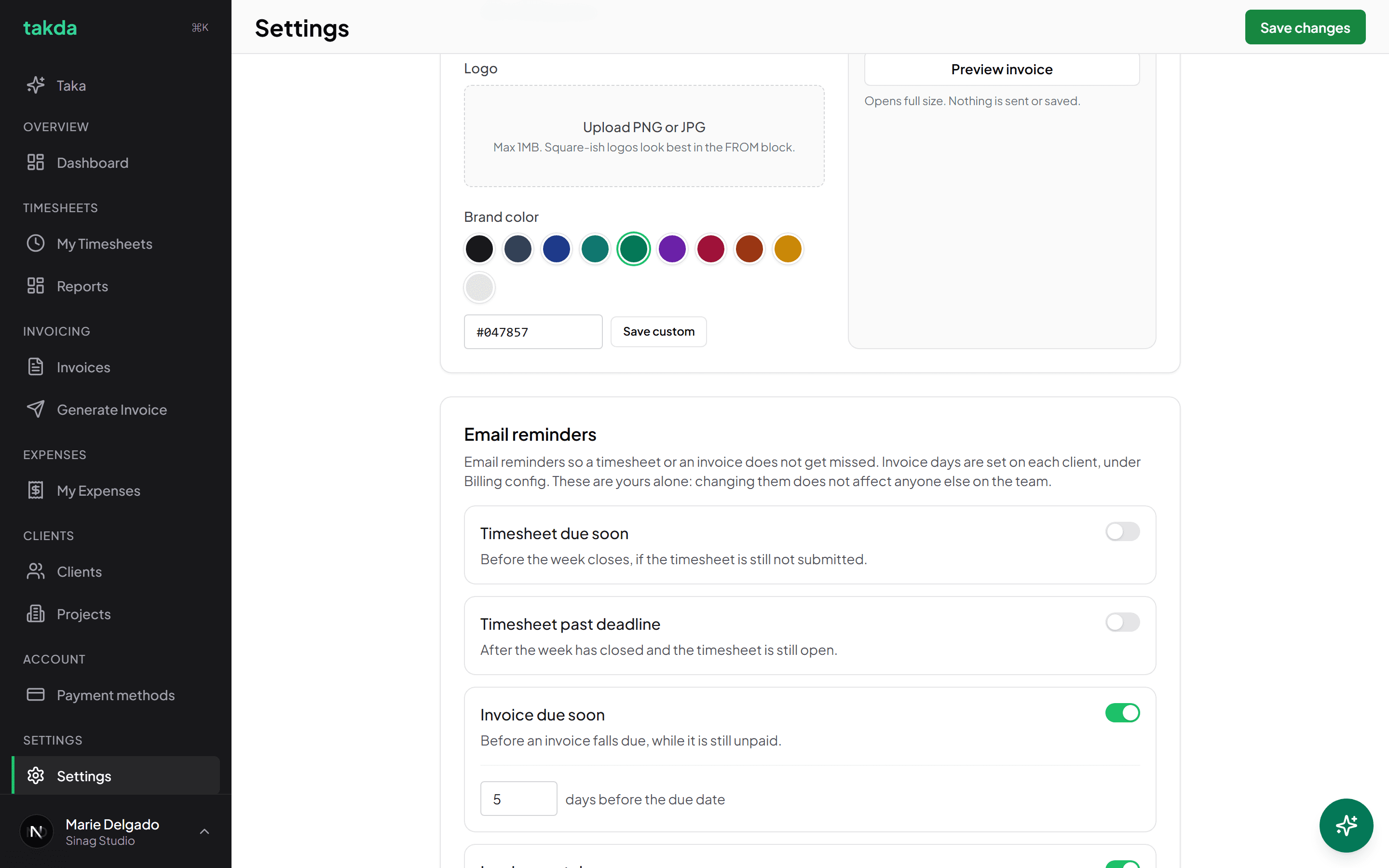
Each reminder has its own switch and its own timing, and they are personal to you. Leave reminders on per client
Each invoice carries a Send payment reminders switch, set from the client's config and visible while you generate. Left on, an unpaid invoice chases itself on your schedule.
Turning it off is worth it for the client who genuinely always pays early and finds reminders rude. It is not worth it for the client who is slow, which is the one people are most tempted to spare.
Send on a date, and chase when it slips
Schedule a send instead of remembering
An invoice can be queued to go out on a date rather than now, which suits a client who expects it on the first working day of the month. It sits in the Scheduled send column with a Cancel button until it goes.
Cancelling before it sends is free. After it sends you cannot unsend, though you can void the invoice and issue a corrected one.
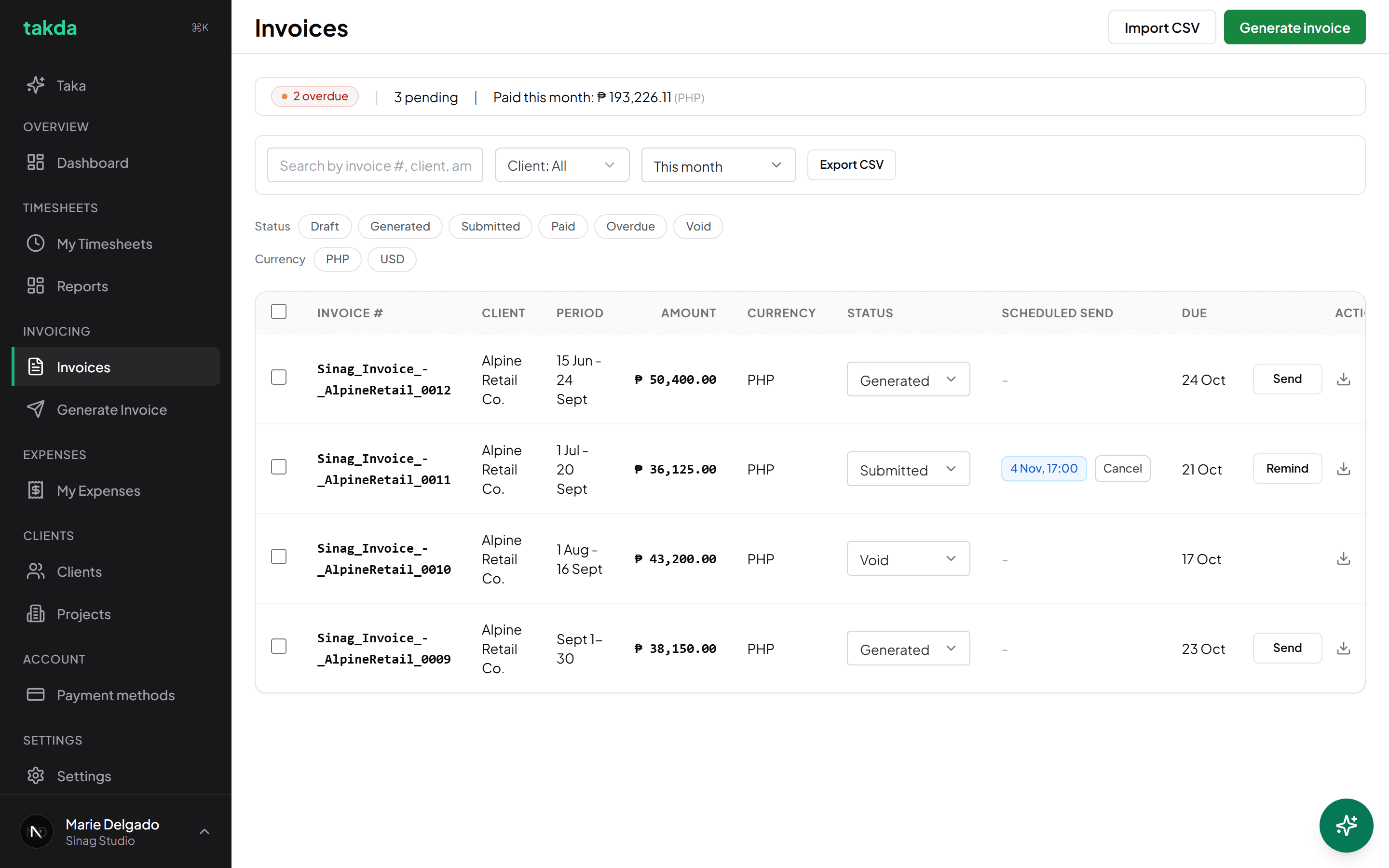
Overdue and pending at the top, a scheduled send waiting with its cancel, and Remind on anything that has gone quiet. Use Remind for the ones that go quiet
Remind sends the chase for a specific invoice without you composing it. It uses the same template and tokens, so the invoice number and total are right.
When payment lands, mark the invoice paid. That is what stops the reminders and keeps the overdue count honest, and an overdue count you do not trust is one you will start ignoring.
Which tool for which situation
| Situation | Use |
|---|---|
| The client expects invoices on a set date | Scheduled send |
| You want to prevent overdue rather than chase it | Invoice due soon, five days before |
| An invoice has quietly gone past due | Invoice past due reminders, plus Remind |
| One specific invoice needs a nudge now | Remind on that row |
| The client has paid | Mark it paid, which ends the chase |
When reminders are not the problem
If an invoice is sitting in the 60 plus bucket on your reports, more reminders will not fix it. Check the obvious things first: whether it went to a person or to a shared inbox nobody reads, whether the client needs a purchase order number on it, and whether the payment options you listed are ones they can actually use.
Reminders solve forgetting. They do not solve an invoice that never reached the person who signs off payments.
Common questions
- Will my client get reminders I cannot see?
- No. Client-facing reminders follow the schedule you set, use your template, and appear against the invoice. Nothing is sent that you have not configured.
- Can my client unsubscribe from a payment reminder?
- No, and that is deliberate. Reminders about money owed are not marketing. Your own internal reminders can be switched off from inside the email, because those are about your attention rather than someone else's debt.
- Can I stop a scheduled invoice?
- Yes, while it is still waiting. It sits in the Scheduled send column with a Cancel next to it. Once sent it cannot be unsent, though the invoice can be voided and reissued.
- Do reminders keep going forever?
- They stop when the invoice is marked paid or voided. Marking payment promptly is what keeps the chase accurate.
Try it on your own work
The free plan covers the whole loop in this guide. No card, and nothing here needs a paid feature.